
Whats New? - November 2023
It's the busy holiday season, but even so we have a couple of great new features to show off this month.
Let's take a look!
Simple Bundles 2.0
Back in February, we announced our partnership with Simple Bundles which enabled us to provide reports for correctly tracking bundle sales.
This Fall, Simple Bundles released a new iteration of their service (Simple Bundles 2.0) - which Report Toaster is fully compatible with.
For example, here is our Top Selling Simple Bundles report, now compatible with Simple Bundles 2.0!
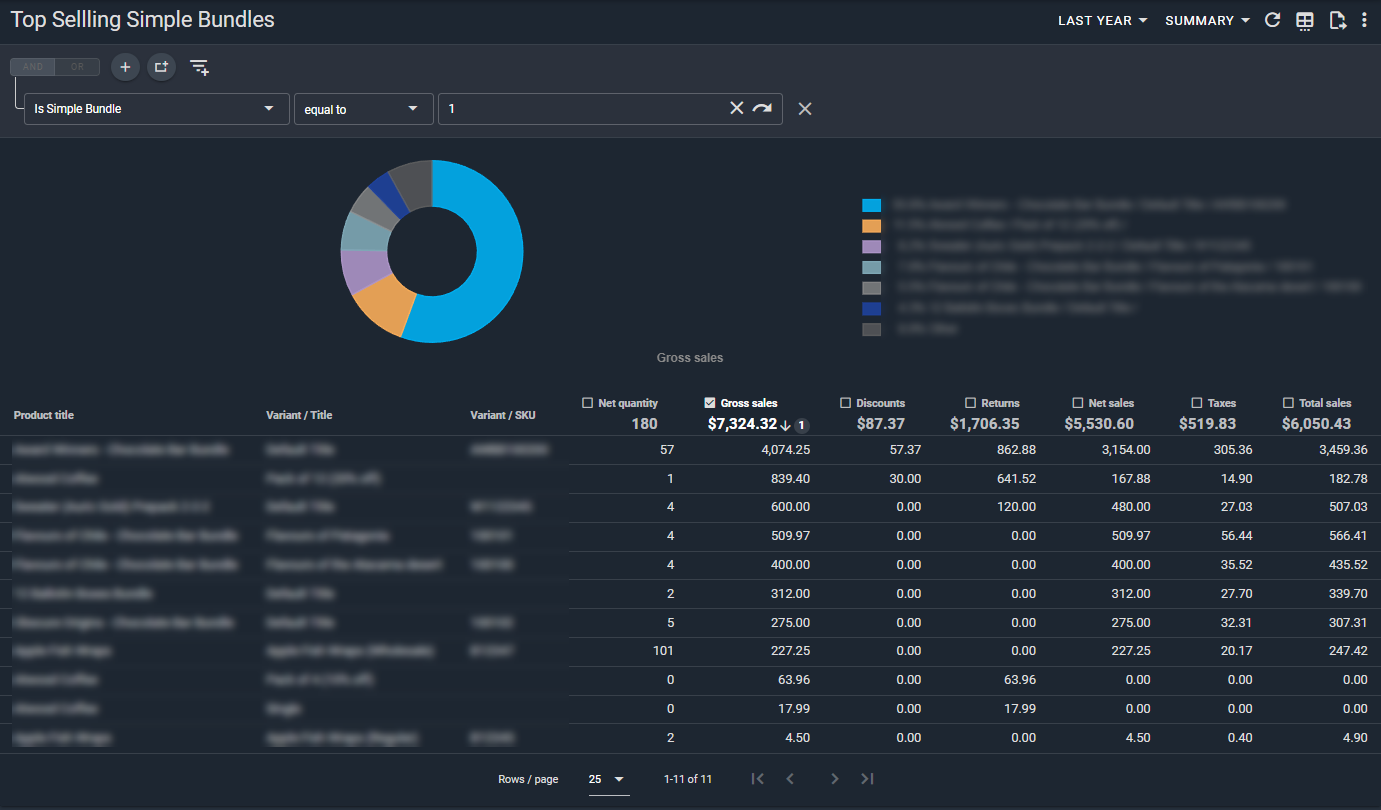
(click image to enlarge)
You can read more about these reports in our main guide here.
These reports require a paid plan of Report Toaster. If you aren't signed up, follow these steps here to upgrade your account.
Updated Transaction Fees
By default, Shopify only provides 3rd party apps with the transaction fees for transactions that utilize either Shopify Payments or Paypal as a gateway.
However if you utilize other payment gateways, you may still want to be able to see the fees that are charged by them so you can factor them into your profits.
Thanks to our newly updated Transaction Fees field, you can now see Transaction Fees for all of the following payment gateways (calculated at a rate displayed below):
- Shopify Payments = Provided by Shopify
- Paypal = Provided by Shopify
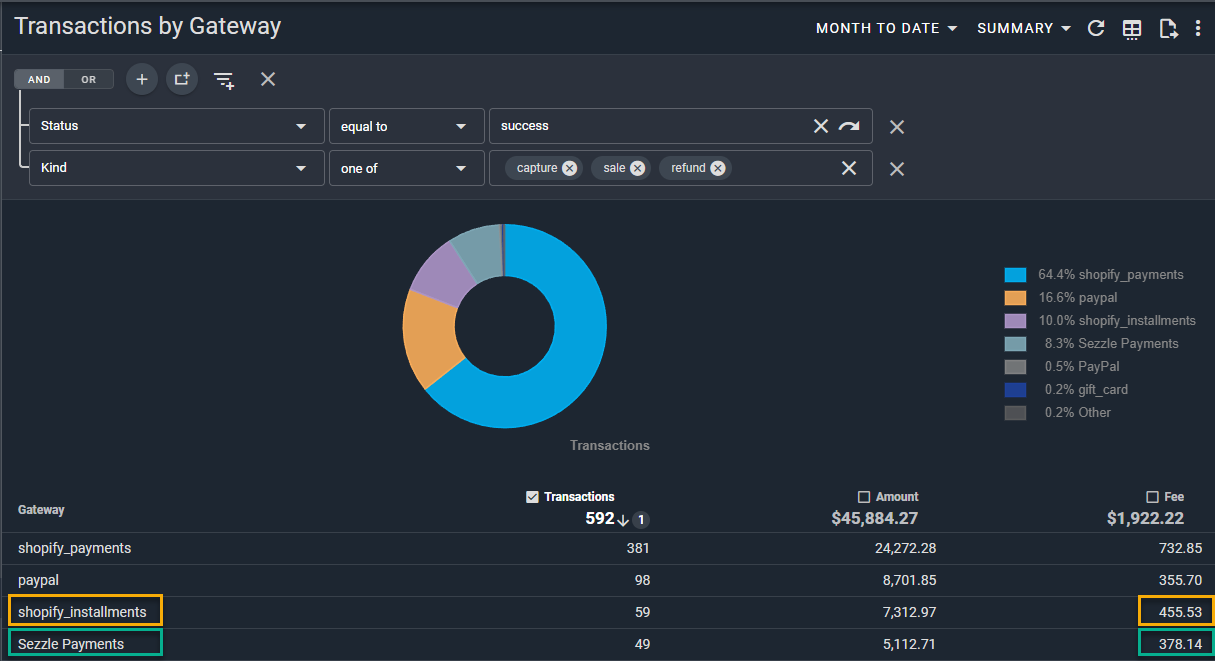
- Shopify installments = 5.9% + $0.30
- Sezzle = 7.1% + $0.30
- Afterpay = 7%
- Authorize.net = 3.4% + $0.30
- Amazonpay = 3.9% + $0.30
- Bankful = 3.1% + $0.10
- Clearpay = 6% + $0.30
Note - These rates are the default setup for this field, but can easily be adjusted if the calculation for your gateway is different.
Contact us at [email protected] with the rate for your gateway and we can easily adjust this for your account.
Here's an example with the rates provided for Shopify Installments and Sezzle respectively:
(click image to enlarge)
If you want to see another payment gateway added to this field, contact us and we can easily add it to your account.
Product URL
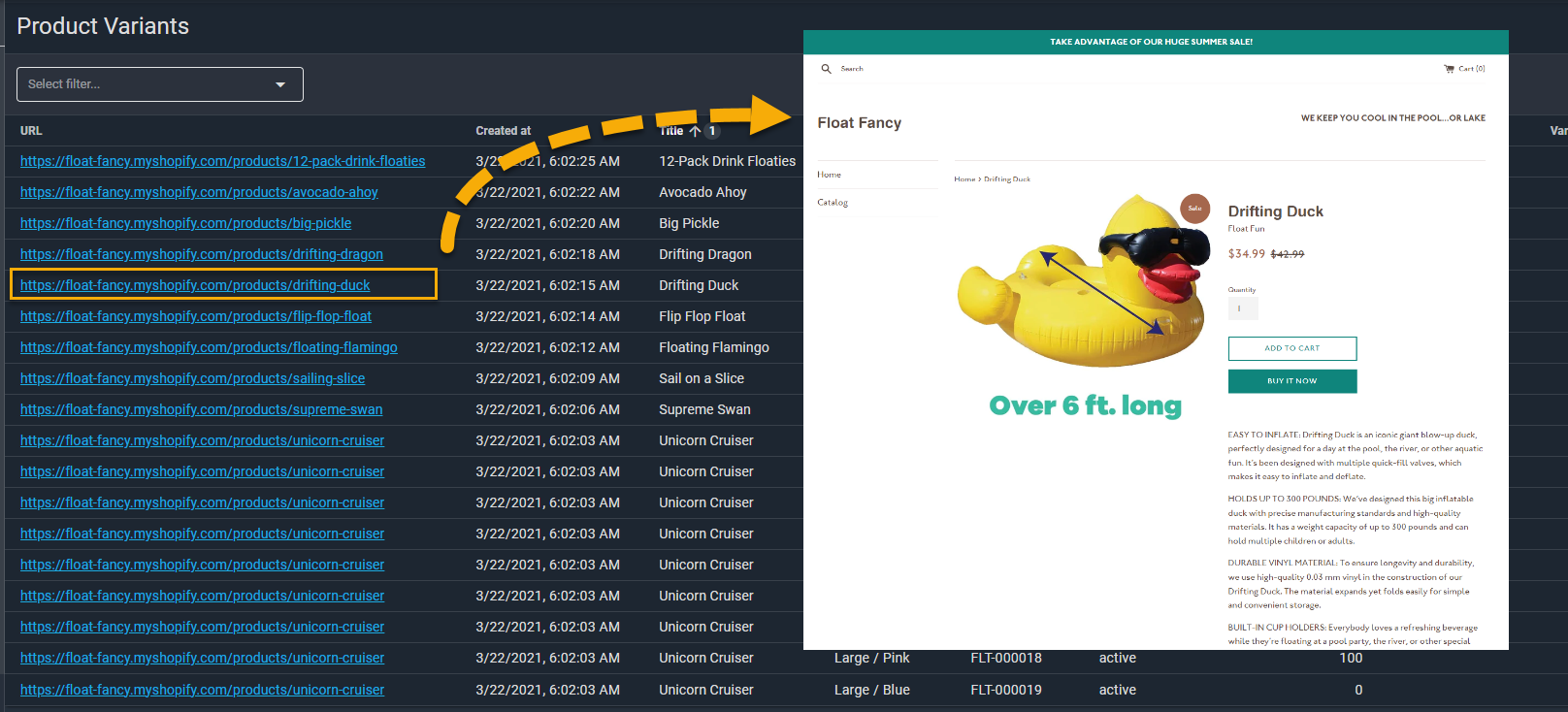
A nice little feature to have when managing your products, we've now included a custom field on all our reports that displays the Product URL for each of your products.
(click image to enlarge)
Using this column, you can directly link to where the product is published on your Shopify site - making it easy to switch between looking at the product details and the actual product as it has been published.
Just a couple of quick things to note when using this field:
- Clicking on the URL will open the page in a new tab in your web browser. You can of course copy and paste the link directly as well.
- If your store is password protected (usually the case for test stores for example) then you will need to login to view the resulting page.
- Finally, it's important to note that only active products that have been published on your site will show a URL in the field. For inactive or unpublished products, the field will be blank.
If you have any questions about these features or need help setting up a particular report for your store, reach out to us at [email protected].
Until next time!